
Follow these 5 simple steps to safely delete account on your Draxer Applications
Tap on the image to 'ZOOM IN'
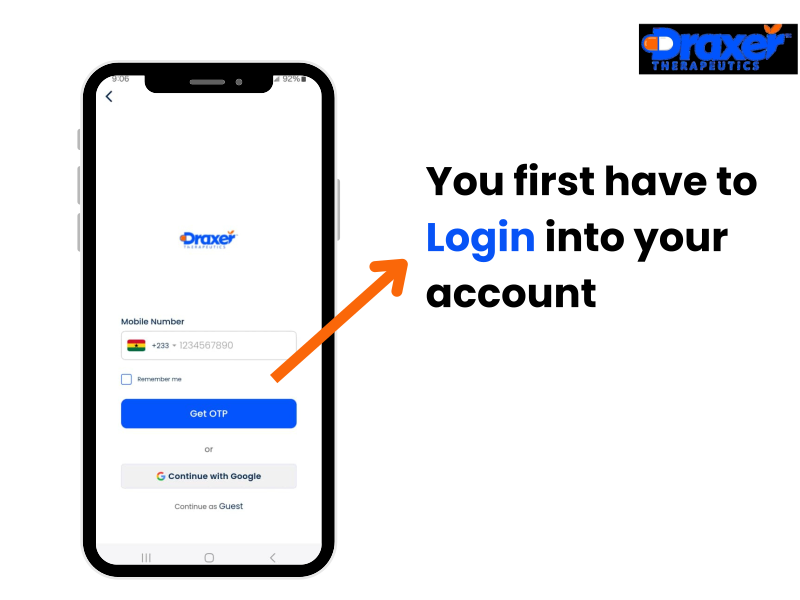
Open the Draxer application and sign in to your account using your credentials(Phone Number or google account)
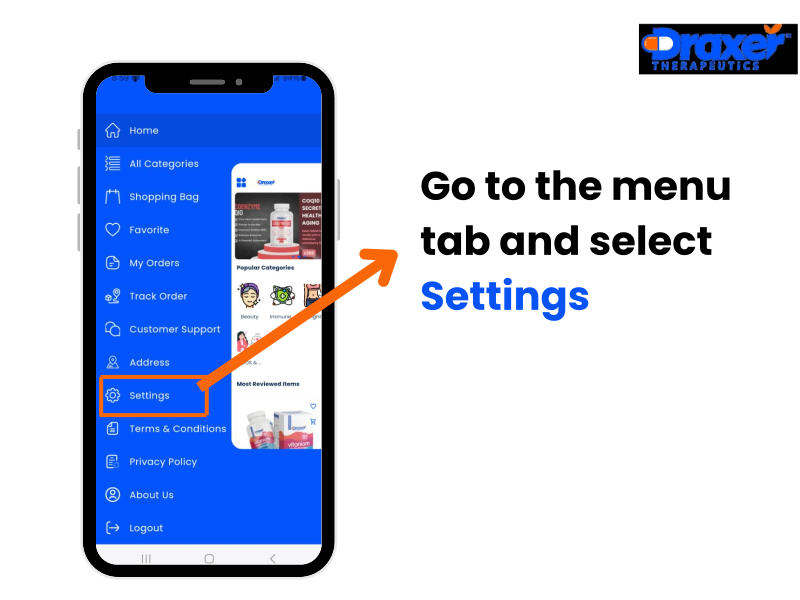
Tap on the menu icon go to 'Settings' from the menu options.
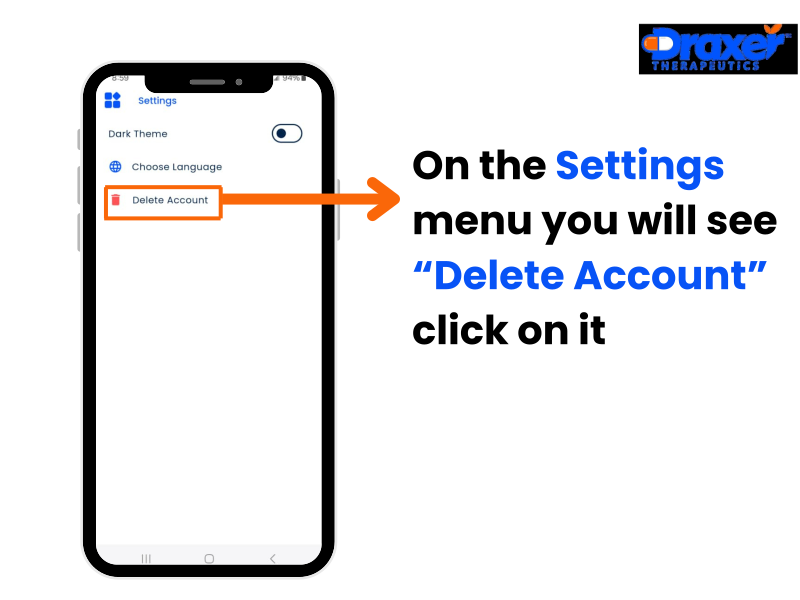
Scroll down and select 'Delete Account' from the Settings menu options.
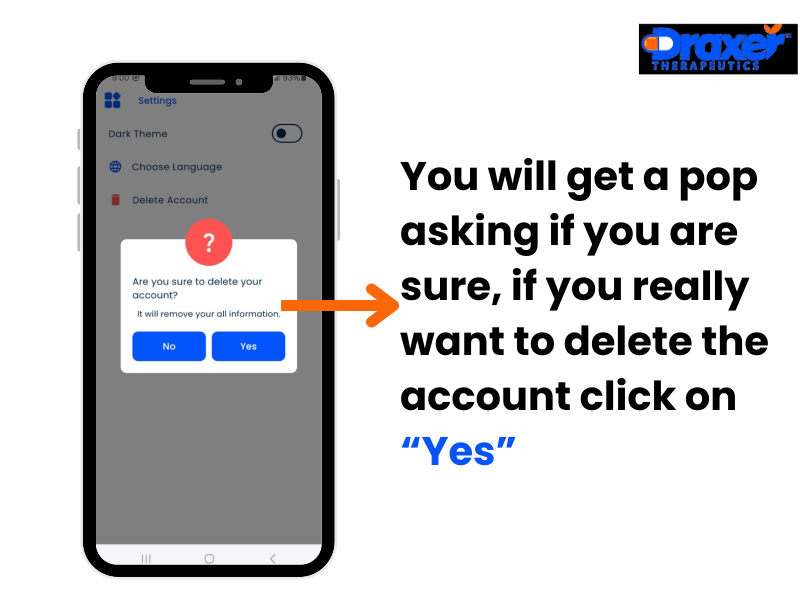
From the pop up menu select "Yes" if you are sure you want to delete your account.
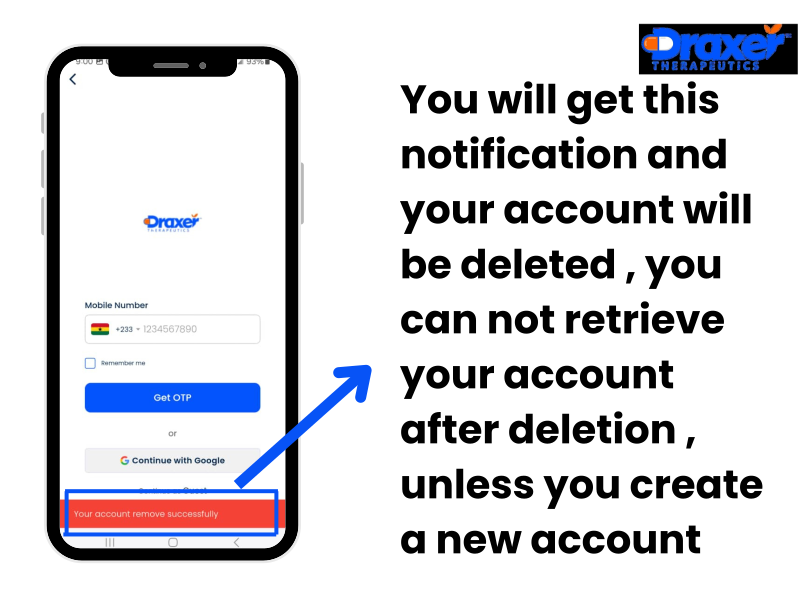
You will see an notification saying "Your account remove Successfully".